
💰 WhatsApp pay
更新订单状态 | YCloud 文档
了解订单状态的取值、创建 order status updates 模板,以及如何在状态变更时通知客户。
订单的状态有哪些?
| Value | Description |
|---|---|
pending | 用户还未支付成功 |
processing | 确认收款,履约订单 |
partially-shipped | 部分已发货 |
shipped | 所有商品已发货 |
completed | 订单已完成 |
canceled | 订单已取消 |
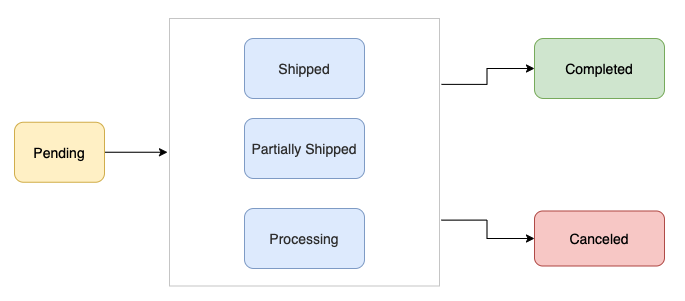
如何通知客户通知订单状态的变更?
当订单的状态发生变更时,您可以通过发送order status updates 模板对客户进行通知。
例如:当订单已经发货,您可以给客户发送order status updates 的模板,发送模板时告知客户
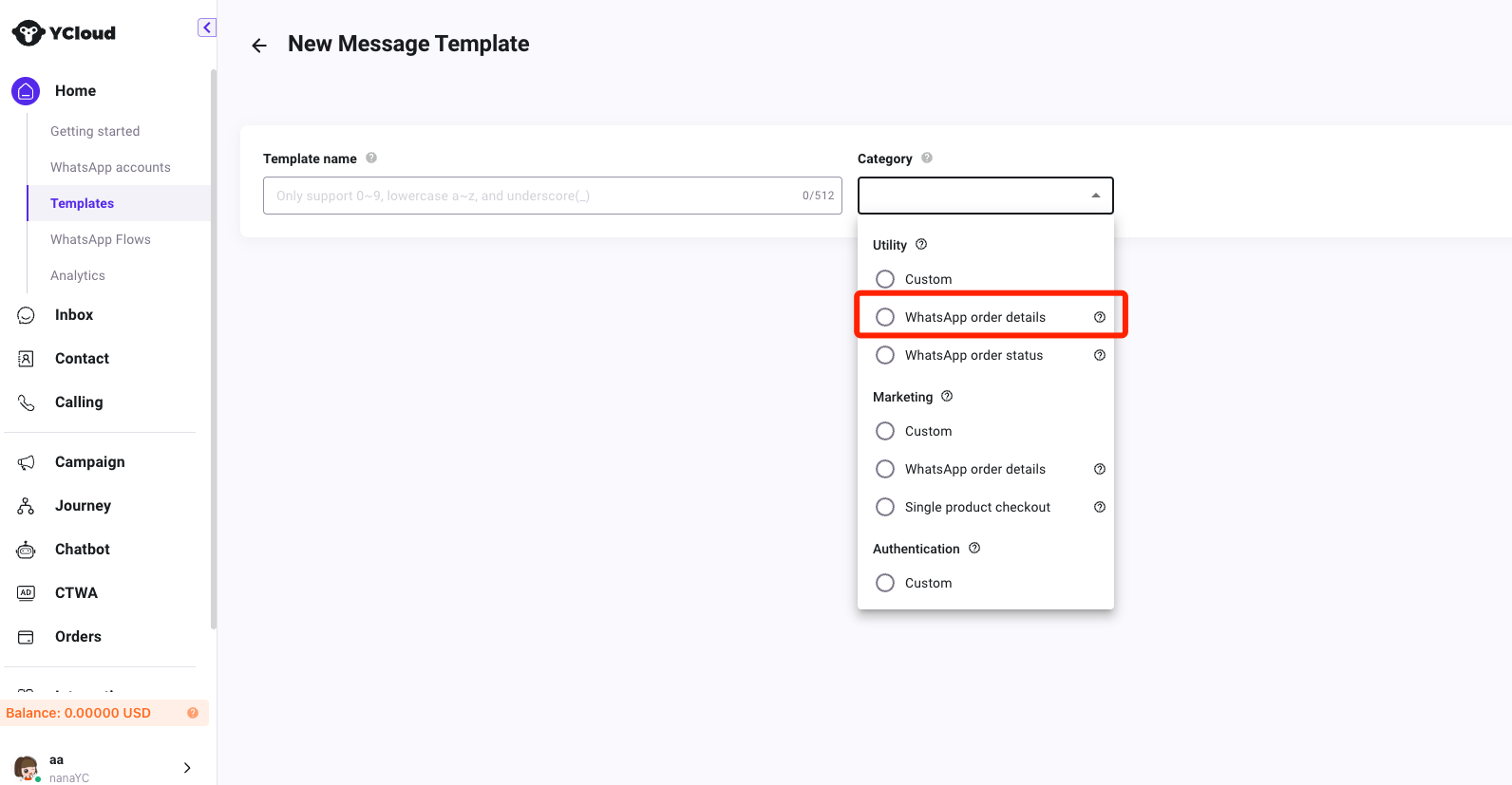
创建order status updates 模板
提示
前提: 您已经完成了收款账户的绑定
1、通过接口进行创建
https://docs.ycloud.com/reference/whatsapp_template-create
创建的example:
https://docs.ycloud.com/reference/whatsapp-template-creation-examples#order-status-template
2、通过页面进行创建
访问:https://www.ycloud.com/console/#/app/dashboard/template
发送Order status updates消息
发送接口:https://docs.ycloud.com/reference/whatsapp_message-send-directly
发送的示例:
curl 'https://api.ycloud.com/v2/whatsapp/messages/sendDirectly' \
-H 'Content-Type: application/json' \
-H 'X-API-Key: {{YOUR-API-KEY}}' \
-d '{
  "from": "{{BUSINESS-PHONE-NUMBER}}",
  "to": "{{CUSTOMER-PHONE-NUMBER}}",
  "type": "template",
  "template": {
    "name": "order_status_template",
    "language": {
      "policy": "deterministic",
      "code": "en_US"
    },
    "components": [
      {
        "type": "order_status",
        "parameters": [
          {
            "type": "order_status",
            "order_status": {
              "reference_id": "",
              "order": {
                "status": "processing | partially_shipped | shipped | completed | canceled",
                "description": ""
              }
            }
          }
        ]
      }
    ]
  }
}'